
Studio Automation
Architecture and implementation guide for the automated, single-tap studio power sequencing and wireless RF control system orchestrated by pikvm-studio, Great Scott Gadgets Yard Stick One (Sub-GHz SDR), and Authentik SSO.
1. System Overview & Architecture
The goal of this system is to securely power on and sequence the entire audio recording studio from a mobile phone (or physical trigger) with zero inrush breaker trips and zero studio monitor pop.
      [Mobile Phone]
             │ (HTTPS Request)
             ▼
   [Nginx + Authentik SSO]
             │
             ▼
   [pikvm-studio Appliance]
     ├──► [Yard Stick One USB] ──► 433.92 MHz RF Bursts (Outboard Gear & Monitors)
     └──► [PiKVM ATX Header]  ──► Physical Motherboard Power Relay (bmo95 Workstation)
Preliminary demonstration (Control website demo + KVM view of studio computer):
2. Hardware Roles & Physical Setup
All lighting, outboard gear racks, monitor speakers, and peripherals in the studio are switched via 433.92 MHz RF wireless power relays controlled by a dedicated transceiver plugged into the PiKVM appliance.
System Components
| Component | Hardware / Tool | Function |
|---|---|---|
| Central Controller | PiKVM V4 Plus (pikvm-studio) |
Webhook daemon, ATX power relay, host for Yard Stick One. |
| RF Transceiver | Great Scott Gadgets Yard Stick One | Sub-GHz USB transceiver (CC1111) transmitting ASK/OOK control packets. |
| RF Capture & Analysis | Flipper Zero | Intercepts, demodulates, and analyzes remote control signals. |
| Wireless Outlets | 433.92 MHz / 315 MHz RF Sockets (Fosmon) | Power switching for gear banks (Racks, Interfaces, Monitors, Lighting). |
| DAW Workstation | bmo95 (Linux Audio Host) |
Controlled directly via PiKVM front-panel ATX header cable. |
Transceiver Specifications
- Host Node:
pikvm-studio(PiKVM V4 Plus, Raspberry Pi 4 Model B, Arch Linux ARM) - Transceiver: Great Scott Gadgets YARD Stick One
- USB ID:
1d50:605b(OpenMoko / GSG RfCat CC1111) - Core SoC: Texas Instruments CC1111F32 (24.0 MHz reference crystal)
- Frontend RF Amplifier: Skyworks SE2431L hardware power amplifier enabled (
setAmpMode(1)) - Antenna: Sub-GHz vertical SMA whip antenna
- Carrier Frequency: 433.920 MHz
- Modulation: ASK / OOK (Amplitude Shift Keying / On-Off Keying)
+--------------------------------------------------------------------------------+
| Host: pikvm-studio (Arch Linux ARM)                                            |
|                                                                                |
|  [ studio-power CLI ] ---> [ RfCat / rflib ] ---> [ YARD Stick One (CC1111) ]  |
+-----------------------------------------------------------------------|--------+
                                                                        | 433.920 MHz ASK/OOK
                                                                        | (33-bit PWM, 3433 baud)
                                                                        v
+------------------+  +------------------+  +------------------+  +------------------+
| Moroccan Lamp    |  | Recording Rack   |  | Studio Computer  |  | Subwoofer        |
| (Fosmon Outlet)  |  | (Fosmon Outlet)  |  | (Fosmon Outlet)  |  | (Fosmon Outlet)  |
+------------------+  +------------------+  +------------------+  +------------------+
+------------------+  +------------------+  +------------------+
| Main PA Speakers |  | TV Monitor       |  | Neewer LED Panels|
| (Fosmon Outlet)  |  | (Fosmon Outlet)  |  | (Fosmon Outlet)  |
+------------------+  +------------------+  +------------------+
3. Staged Power Sequencing
The sequence controller enforces a timing chain:
[Trigger: Studio Power ON]
  │
  ├──► Step 1: RF Burst -> Power Bank A (AudioFire12 Interfaces, Outboard Racks, Synths) ON
  │
  ├──► Step 2: Delay 3 Seconds (allow power supplies to stabilize)
  │
  ├──► Step 3: PiKVM ATX Action -> Motherboard Power Button Short Click (bmo95 boot)
  │
  ├──► Step 4: Delay 12 Seconds (wait for FireWire initialization & ALSA settling)
  │
  └──► Step 5: RF Burst -> Power Bank B (Studio Monitors & Subwoofers) ON
Graceful Studio Shutdown Sequence
When powering down, the sequence operates in reverse order:
- RF Burst: PA & subwoofers off.
- ACPI Action: PiKVM triggers graceful OS shutdown on the studio computer
- Delay: Wait until PiKVM detects
bmo95power LED is off. - RF Burst: Audio Interfaces, Synths, and Outboard Racks OFF.
4. Reverse Engineering & Research
Achieving reliable, production-grade RF transmission from the YARD Stick One to physical studio outlets required resolving several hardware, firmware, and protocol discrepancies.
FCC Filings
Public FCC equipment authorization filings (such as Grantee 2A3BM / FCC ID 2A3BM5782988) provide RF emissions compliance data—confirming the fundamental carrier frequency (433.92 MHz), field strength, and occupied bandwidth—but do not document the digital baseband protocol:
- Emissions vs. Data Format: FCC Part 15 test reports verify harmonic suppression and duty cycle limits.
- Proprietary Confidentiality: Schematics and microcontroller firmware descriptions are permanently withheld under confidentiality requests.
- Missing Parameters: The filings omit the 33-bit packet length, pulse-width ratios (1:3 vs 3:1), clock unit (Te ≈ 291 µs), sync duration (10.2 ms), and individual device address codes.
Signal Capture with Flipper Zero
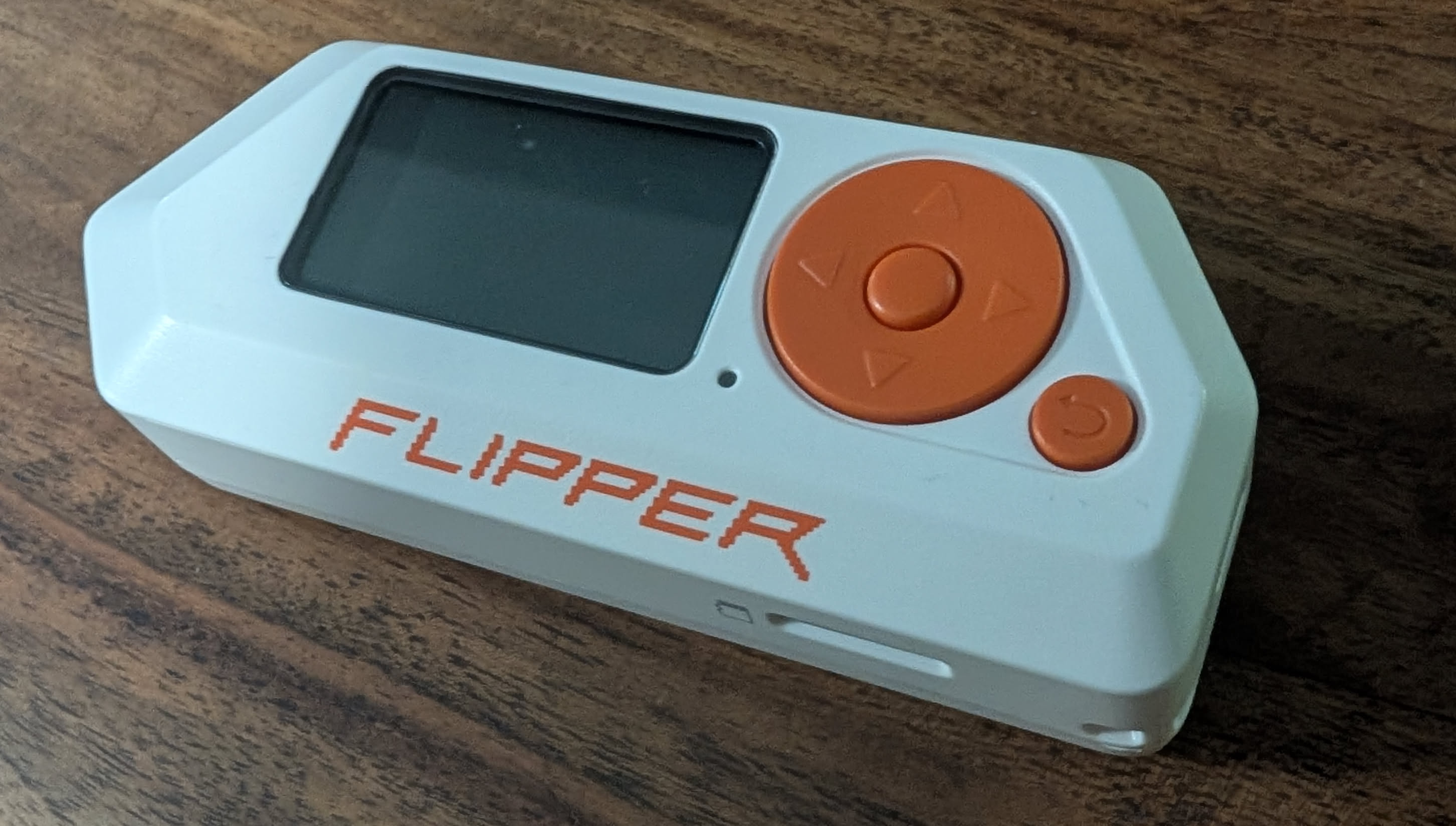
Most wireless AC outlet relays use Amplitude Shift Keying / On-Off Keying (ASK/OOK) fixed-code ICs (e.g. Princeton PT2262, SC5262, EV1527, or Holtek):
- Protocol Capture:
- Open Sub-GHz → Read on Flipper Zero.
- Transmit from factory remote: Flipper identifies frequency (433.92 MHz), bit length (e.g. 24-bit / 33-bit), hex payload, and pulse duration (e.g. ~291 µs).
- Raw Signal Capture (Fallback):
- Open Sub-GHz → Read RAW at
433.92 MHz(Modulation:AM650). - Record demodulated 433.92 MHz ASK/OOK pulses into raw
.subfiles.
- Open Sub-GHz → Read RAW at
- Validation via Replay:
- Replaying
.subfiles directly from Flipper Zero reliably triggered physical relays, confirming that recorded pulse sequences were valid.
- Replaying
- Pulse-Interval Extraction:
- High pulse ≈ 874 µs, Low pulse ≈ 291 µs for bit
'1' - High pulse ≈ 291 µs, Low pulse ≈ 874 µs for bit
'0' - Trailing sync gap ≈ 291 µs High, 10,190 µs Low (~10.2 ms)
- Fundamental clock tick: Te = 291.27 µs (3433.22 baud)
- High pulse ≈ 874 µs, Low pulse ≈ 291 µs for bit
- Isolating the Transceiver Issue: Because Flipper Zero replay worked consistently while initial YARD Stick One transmissions failed, we confirmed the payload bitstreams were correct, isolating the root cause to the CC1111 reference crystal configuration.
Crystal Oscillator Frequency (24.0 MHz vs 26.0 MHz)
The most elusive obstacle was the RF carrier frequency register calculation:
- The Assumption: Standard Texas Instruments CC1101 transceiver chips commonly use a 26.0 MHz reference crystal. Using the standard TI datasheet formula with a 26 MHz clock calculated the frequency control word as
FREQ = 0x10B071for 433.92 MHz:FREQ = (433,920,000 / 26,000,000) × 2^16 = 1,093,745 = 0x10B071
- The Reality: The CC1111 USB SoC on the YARD Stick One does not use a 26 MHz crystal. Because USB 2.0 Full-Speed requires a 48 MHz clock derived from a 2x PLL, the CC1111 utilizes a 24.0 MHz reference crystal (
f_XOSC = 24.0 MHz). - The Consequence: When
0x10B071was loaded into a 24 MHz CC1111, the actual emitted RF carrier was:Actual Frequency = (1,093,745 × 24,000,000) / 2^16 = 400.54 MHzThe transceiver was broadcasting over 33 MHz off-target, resulting in zero signal reaching the 433.92 MHz receivers.
- The Fix: Calibrating for the true 24.0 MHz crystal yielded the exact frequency registers:
FREQ = (433,920,000 / 24,000,000) × 2^16 = 1,184,883 = 0x121473FREQ2 = 0x12,FREQ1 = 0x14,FREQ0 = 0x73(with ChannelCHANNR = 0x00).
Pulse Framing & Sync Gap Correction
From Flipper Zero capture analysis:
- Bit
0: 1 tick High, 3 ticks Low (1000-> 291 µs High, 874 µs Low) - Bit
1: 3 ticks High, 1 tick Low (1110-> 874 µs High, 291 µs Low) - Sync Gap: 1 tick High, 35 ticks Low (
1+ 35 zeros -> 291 µs High, 10.19 ms Low)
The Framing Bug: Initial synthetic generators placed a sync pulse at the beginning of the frame and another sync pulse at the end. When repeating frames in a burst, this created two back-to-back sync gaps (>21 ms of dead carrier), which caused the relay microcontroller's state machine to timeout and drop the frame.
The Fix: A frame consists strictly of the 33 data bits followed by a single trailing sync gap:
- Frame Composition = (33 × 4) + 36 = 168 ticks = 21 bytes (48.93 ms)
Multi-Frame Contiguous Streaming vs Single-Shot Bursts
Consumer 433 MHz ASK/OOK receivers use simple superheterodyne/regenerative circuits with slow Automatic Gain Control (AGC). Single-shot transmissions or frames separated by USB packet latency fail because the receiver AGC cannot settle in time.
The Fix: In the studio-power script, the 21-byte frame is multiplied into a continuous 630-byte stream (30 consecutive frames) transmitted in a single uninterrupted RF burst:
- Burst Duration = (630 bytes × 8 bits) / 3433.22 baud = 1.468 seconds
This ensures the receiver AGC locks on and decodes the command reliably.
5. Protocol Specification (Princeton / Fosmon 33-Bit PWM)
Timing & Waveform Structure
- Fundamental Clock Tick Period (Te): 291.27 µs (3433.22 baud)
- Bit Symbol
0: 1 tick High (291 µs), 3 ticks Low (874 µs) ->1000 - Bit Symbol
1: 3 ticks High (874 µs), 1 tick Low (291 µs) ->1110 - Trailing Sync Pulse: 1 tick High (291 µs), 35 ticks Low (10.19 ms) ->
1+ 35 zeros
Bit '0':  +---+
          |   |___________________   (1 tick high, 3 ticks low)
          <Te><------ 3Te ------->

Bit '1':  +---------------+
          |               |_______   (3 ticks high, 1 tick low)
          <----- 3Te ----><--Te-->

Sync:     +---+
          |   |____________________________________________________  (1 tick high, 35 ticks low)
          <Te><---------------------- 35Te ----------------------->
6. CC1111 Hardware Register Map & RfCat USB Protocol
The standalone native C driver (yard_tx.c / cc1111_rfcat.h) controls the transceiver directly using libusb-1.0 control transfers and bulk endpoints:
RfCat USB Vendor Requests (bmRequestType = 0x40)
0x00(RFCAT_REQ_PING): Verifies firmware communication.0x01(RFCAT_REQ_STROBE): Dispatches CC1111 radio command strobes (0x01=STX,0x04=SIDLE).0x03(RFCAT_REQ_PEEK): Reads memory-mapped SFR / XDATA registers.0x04(RFCAT_REQ_POKE): Writes memory-mapped SFR / XDATA registers.0x10(RFCAT_REQ_SET_AMP_MODE): Toggles Skyworks SE2431L Power Amplifier (1= ON,0= Bypass).EP 0x04(RFCAT_EP_BULK_OUT): High-speed USB Bulk OUT endpoint for streaming OOK baseband byte frames directly to the CC1111 TX FIFO.
Calibrated CC1111 Transceiver Register Map
| Register Name | XDATA Address | Config Value | Register Function & Mathematical Derivation |
|---|---|---|---|
FREQ2 |
0xDF09 |
0x12 |
Frequency Synthesizer MSB: FREQ = (433,920,000 / 24,000,000) × 2^16 = 0x121473 |
FREQ1 |
0xDF0A |
0x14 |
Frequency Synthesizer Middle Byte |
FREQ0 |
0xDF0B |
0x73 |
Frequency Synthesizer LSB |
CHANNR |
0xDF0C |
0x00 |
Base RF channel index (0) |
MDMCFG4 |
0xDF10 |
0x08 |
Filter bandwidth (187.5 kHz) & Data Rate Exponent (DRATE-E = 8) |
MDMCFG3 |
0xDF11 |
0x84 |
Data Rate Mantissa (DRATE-M = 132): Baud = ((256 + 132) × 2^8 / 2^28) × 24 MHz = 3433.22 baud |
MDMCFG2 |
0xDF12 |
0x30 |
Modulation format: ASK/OOK (0x30), preamble/sync word disabled |
MDMCFG1 |
0xDF13 |
0x00 |
Zero extra preamble bytes |
MDMCFG0 |
0xDF14 |
0xF8 |
Channel spacing exponent |
FREND0 |
0xDF17 |
0x01 |
Sets PA output power level index 1 for bit symbol 1 |
MCSM0 |
0xDF18 |
0x18 |
Automatic synthesizer calibration on IDLE-to-TX transition |
PA_TABLE1 |
0xDF2F |
0xC0 |
Maximum RF output power (+10 dBm base, +20 dBm via SE2431L amplifier) |
PA_TABLE0 |
0xDF2E |
0x00 |
Carrier cut-off for OOK Low level |
PKTCTRL0 |
0xDF08 |
0x00 |
Fixed packet length mode |
RFST |
0xDF36 |
0x01 |
Radio Command Strobe: STX (Start Transmission) |
7. Studio Device Payload Database
Every studio outlet has a dedicated 33-bit code for ON and OFF:
| Device Key | Device Name | 33-Bit Binary Bitstream (ON / OFF) | Hex Payload (ON / OFF) |
|---|---|---|---|
mrc |
Moroccan Lamp | 110100001100000100001011011110100 (ON)110100001100000100001010011110110 (OFF) |
0x1a18216f40x1a18214f6 |
rack |
Recording Rack | 001011011010100100001011100110000 (ON)001011011010100100001010100110010 (OFF) |
0x5b5217300x5b521532 |
computer |
Studio Computer | 001011011010100100001101100111110 (ON)001011011010100100001100100111100 (OFF) |
0x5b521b3e0x5b52193c |
sub |
Subwoofer | 010110100111010000001101000111000 (ON)010110100111010000001100000111010 (OFF) |
0xb4e81a380xb4e8183a |
pa |
Main PA Speakers | 010110100111010000001011000110100 (ON)010110100111010000001010000110110 (OFF) |
0xb4e816340xb4e81436 |
tv |
TV Monitor | 010110100111010000001111000111100 (ON)010110100111010000001110000111110 (OFF) |
0xb4e81e3c0xb4e81c3e |
neewer |
Neewer LED Panels | 001010010110011000001111010101110 (ON)001010010110011000001110010101100 (OFF) |
0x52cc1eae0x52cc1cac |
8. Authentik & Mobile 1-Tap Trigger
To control the studio securely from any phone or device on the LAN/WAN:
- Reverse Proxy & Forward Auth:
- Nginx on
ulforwardshttps://studio.drheck.dev/api/powerthrough Authentik forward-auth.
- Nginx on
- PiKVM Local Webhook:
- When authorized, the proxy issues an API call to a lightweight Python webhook running on
pikvm-studio.
- When authorized, the proxy issues an API call to a lightweight Python webhook running on
- Mobile Launcher Shortcuts:
- iOS: In the Shortcuts app, create an action: Get contents of URL
POST https://studio.drheck.dev/api/power/on. - Android: Configure a launcher widget using the HTTP Shortcuts app.
- Siri / Voice: Trigger via "Hey Siri, turn on recording studio".
- iOS: In the Shortcuts app, create an action: Get contents of URL
9. Signal Synthesis Implementation (Python)
To generate and transmit any command from scratch using rflib:
#!/usr/bin/env python3
import sys, time
import rflib

def encode_pwm_exact(bit_string):
    """Converts a 33-bit code into an exact 21-byte OOK frame at 3433 baud."""
    raw = ""
    for bit in bit_string:
        if bit == '1':
            raw += "1110"  # 3 ticks high, 1 tick low
        elif bit == '0':
            raw += "1000"  # 1 tick high, 3 ticks low
    # Append trailing sync pulse: 1 tick high, 35 ticks low (~10.2 ms)
    raw += "1" + ("0" * 35)

    while len(raw) % 8 != 0:
        raw += "0"

    return bytes(int(raw[i:i+8], 2) for i in range(0, len(raw), 8))

def send_power_signal(bit_string, repeats=30):
    payload = encode_pwm_exact(bit_string)
    d = rflib.RfCat()
    d.setFreq(433920000)
    d.setMdmModulation(rflib.MOD_ASK_OOK)
    d.setMdmDRate(3433)
    d.setMdmSyncMode(0)
    d.setMaxPower()
    d.setAmpMode(1)  # Enable hardware RF power amplifier
    d.RFxmit(payload * repeats)
    d.cleanup()

# Example: Turn ON Moroccan Lamp
send_power_signal("110100001100000100001011011110100", repeats=30)
10. CLI Tool: studio-power
The utility is permanently installed on pikvm-studio at /usr/local/bin/studio-power.
Command Syntax
# Toggle individual devices:
$ sudo studio-power mrc on
$ sudo studio-power mrc off

$ sudo studio-power rack on
$ sudo studio-power rack off

$ sudo studio-power computer on
$ sudo studio-power computer off

$ sudo studio-power sub on
$ sudo studio-power sub off

$ sudo studio-power pa on
$ sudo studio-power pa off

$ sudo studio-power tv on
$ sudo studio-power tv off

$ sudo studio-power neewer on
$ sudo studio-power neewer off

# Session management (turn entire studio on or off):
$ sudo studio-power all on
$ sudo studio-power all off

# List devices:
$ studio-power list
11. External References & FCC Certification Links
- Git Repository: https://git.drheck.dev/luke/studio_yardstick
- Fosmon Hardware & FCC Filings:
- Transceiver Hardware & Firmware: